

Many organisations invest heavily in CAD configurators and automation platforms—Millwork, DriveWorks, and similar systems—to encode engineering rules, accelerate design, and prepare manufacturing outputs. The CAD environment becomes powerful, but a familiar gap appears immediately after it “works” for engineering:
How do you deliver that capability repeatedly to clients, customers, stakeholders, dealers, production teams, and end users—without turning everyone into CAD operators?
The answer is to stop thinking of the CAD system as the product. Treat it as an engine. Then build a full-stack software product framework around it that packages engineering intelligence into a controlled, secure, repeatable product experience.
From “shipping files” to “shipping capability”
Traditional delivery models distribute CAD assets: templates, macros, rules, assemblies, drawings, and training. That approach scales poorly because every new user needs:
- CAD licenses and hardware
- CAD expertise and onboarding
- Access to the right files and versions
- A way to request approvals and handle exceptions
A product framework flips the model. Instead of exposing raw CAD interfaces, the organisation ships outcomes:
- Guided configuration flows
- Approved options only
- Automated validation
- Generated drawings, BOMs, cut lists, CNC outputs, and documentation
- Traceable approvals and audit history
Users don’t interact with CAD. They interact with a product.
The CAD configurator becomes a “headless engine”
A scalable framework treats the CAD configurator as a deterministic execution layer:
- Inputs: parameters, selections, constraints, customer/project metadata
- Processing: rule evaluation, geometry generation, manufacturing prep
- Outputs: drawings, 3D previews, BOMs, PDFs, DXFs, CAM/CNC files, pricing, lead times
This “headless CAD” mindset is what enables packaging and orchestration. The CAD platform remains the source of engineering truth, but it is invoked by software services rather than by humans clicking through CAD screens.
What a full-stack product framework actually contains
A repeatable CAD product framework is not one app. It’s a set of composable building blocks that can be reused across clients and product lines.
1) Experience layer: portals and interfaces for non-CAD users
Different audiences need different experiences:
- Customer portal: guided configuration, instant feedback, quote requests, order submission
- Dealer portal: multi-customer management, margin controls, territory rules, templated proposals
- Stakeholder dashboards: approvals, visibility, timeline, change history, risk flags
- Production UI: job queue, manufacturing packets, revision diffs, exception handling
- Mobile access: site measurements, photo capture, sign-off, delivery confirmation
The key is that each UI is role-specific and constrained. Users can only choose what is manufacturable and approved.
2) Orchestration layer: workflows, approvals, and state
CAD automation alone doesn’t manage business reality: revisions, approvals, exceptions, and handoffs. Orchestration services do.
Typical workflow states include:
- Draft configuration
- Internal review
- Customer approval
- Engineering validation
- Production release
- Manufacturing updates
- Delivery and installation
Every transition can trigger automation:
- Run CAD generation
- Regenerate outputs on revision
- Lock a version for production
- Notify stakeholders
- Create ERP work orders
This is where CAD becomes operational.
3) Rule and policy layer: separating engineering logic from business logic
A common scaling problem is mixing everything inside CAD rules. A product framework separates concerns:
- Engineering rules: geometry constraints, manufacturability, tolerances
- Commercial rules: pricing, discount tiers, dealer margins
- Operational rules: lead times, capacity constraints, region-specific availability
- Compliance rules: standards, certifications, documentation requirements
This separation makes the system maintainable and reusable across clients. It also allows non-engineering teams to manage policies without touching CAD.
4) Integration layer: APIs to ERP/CRM/inventory/production
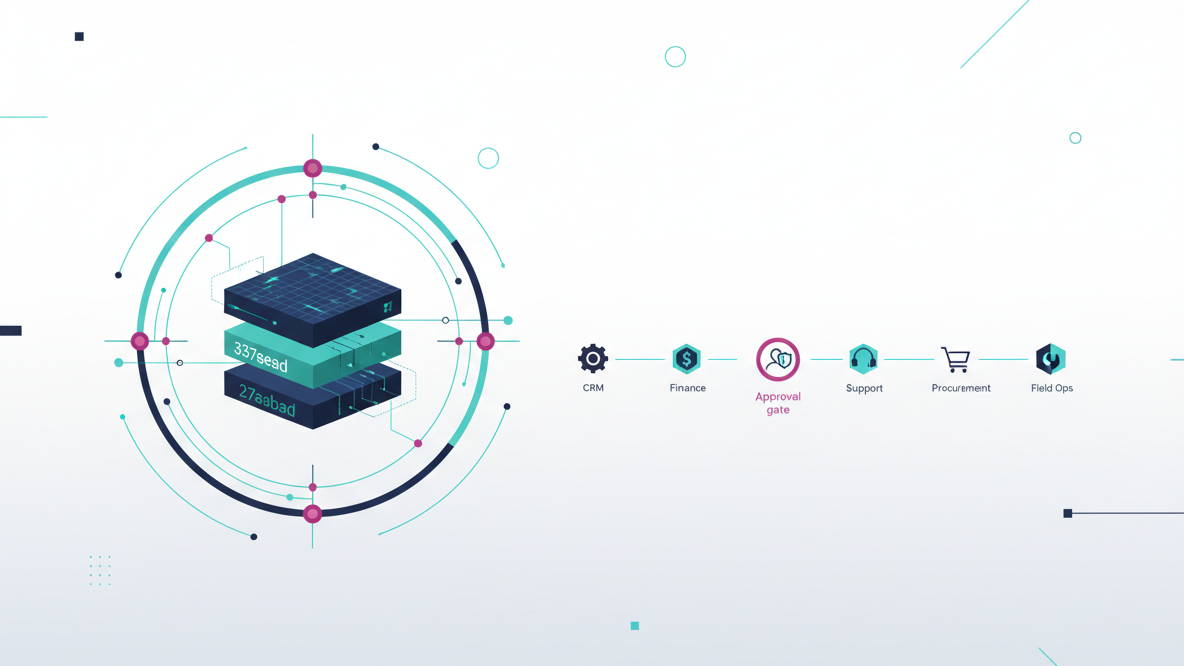
To “ship capability,” the configurator must connect to the systems that run the business:
- CRM: opportunity context, customer data, deal stage, notes
- ERP: pricing, work orders, purchasing, invoicing
- Inventory: stock levels, substitutions, supplier lead times
- MES/production: job scheduling, machine queues, status updates
- Document systems: storage, versioning, approvals, signatures
A framework provides stable APIs and event-driven integrations so CAD outputs become first-class operational artifacts.
5) Output layer: automated document and manufacturing packet generation
The value users feel is the output. A framework standardises output generation and packaging:
- Drawings and PDFs with consistent title blocks and metadata
- BOMs and cut lists aligned to ERP item masters
- CNC and CAM-ready exports
- Installation guides and customer-facing documentation
- Revision diffs and change logs
Outputs should be generated, stamped, stored, and distributed automatically—tied to a specific configuration version.
6) Governance layer: versioning, access control, and auditability
When CAD becomes a product engine, governance becomes non-negotiable:
- Role-based access control: customers vs dealers vs internal teams
- Version governance: what changed, who approved it, what is released
- Environment separation: dev/staging/production for rules and templates
- Audit trails: compliance, liability, and traceability
- Security: encryption, secrets management, least-privilege access
This is how you safely scale distribution of engineering IP.
Packaging: turning a one-off configurator into a deployable product
Packaging means you can deploy the same capability repeatedly with predictable effort.
A strong packaging approach includes:
- Modular architecture: reusable components for UI, workflows, integrations, outputs
- Client-specific configuration: branding, catalogs, pricing policies, permissions
- Template libraries: common product families, rule patterns, output formats
- Infrastructure-as-code: repeatable environments and deployments
- Observability: logs, metrics, tracing for CAD execution and workflow events
Instead of rebuilding for every client, you assemble.
Shipping: how the capability is delivered to real teams
Shipping is not just “deploying to cloud.” It’s delivering a full operational product experience.
A practical shipping model often includes:
- A web app for configuration and approvals
- A backend API for orchestration and integrations
- A CAD execution service (on-prem, cloud, or hybrid)
- A document/output service for generation and storage
- A queue/job system for long-running CAD tasks
This architecture supports concurrency, reliability, and scale—especially when many dealers or customers are configuring at once.
Orchestration: what happens behind a single user click
When a user selects an option in a portal, the framework can:
- Validate selections against business and engineering constraints
- Create or update a configuration “version”
- Queue a CAD generation job
- Execute CAD automation with the correct templates and rule sets
- Generate outputs (drawings, BOMs, CNC files)
- Store outputs with metadata and revision history
- Notify stakeholders or request approvals
- Push structured data into ERP/CRM/MES
To the user, it feels instant and controlled. Internally, it’s a governed automation pipeline.
Why this becomes a scalable digital product ecosystem
Once CAD is packaged inside a product framework, the organisation gains repeatability:
Build and packaging
- Dealers can sell without engineering bottlenecks
- Customers can self-serve within safe constraints
- Stakeholders can approve with visibility and confidence
- Production teams receive consistent, versioned manufacturing packets
- Engineering IP is protected while still being widely usable
This is the shift:
- Instead of delivering tools, you deliver outcomes.
- Instead of shipping files, you ship capability.
- Instead of asking users to adapt to engineering systems, you make engineering systems adapt to how businesses operate.
For organisations using platforms like Millwork and DriveWorks, a full-stack custom software product framework is the orchestration layer that turns CAD infrastructure into a scalable, repeatable digital product.
What to build first (a pragmatic path)
If you’re starting from an existing CAD configurator, the fastest path to value is usually:
- A guided web portal for configuration
- A workflow and approval model with versioning
- Automated output packaging (drawings/BOMs) with storage
- One high-impact integration (often CRM or ERP)
- Governance: roles, audit, release controls
From there, you expand into dealer ecosystems, production orchestration, and multi-product catalogues.
When done well, the CAD platform remains the engineering brain—but the software product framework becomes the business interface that makes that brain usable at scale.